Portfolio / Media Types / Landing Pages
-
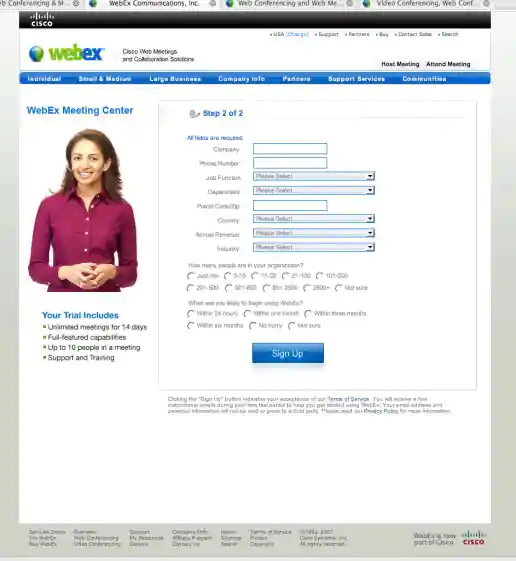
Cisco Webex Free Trial Signup Step 2 Form, Multi-variant Test Variations
Version 4
Project Description: To help explain what I was working on and the user experience which I based my decisions on, I created a quick user flow diagram showing screenshots along with short text explanations of the user journey both before and after interacting with the sign-up screens I was working on. This helped focus decisions to specific areas, optimize content to improve user experience, and identify most effective opportunities for multi-variant testing. Each of the variations were based on learnings from other Cisco Webex products, team input/feedback, plus learnings I incorporated from studying best practices in form design, lead generation, and UX marketing design.
Click for project detail view
-
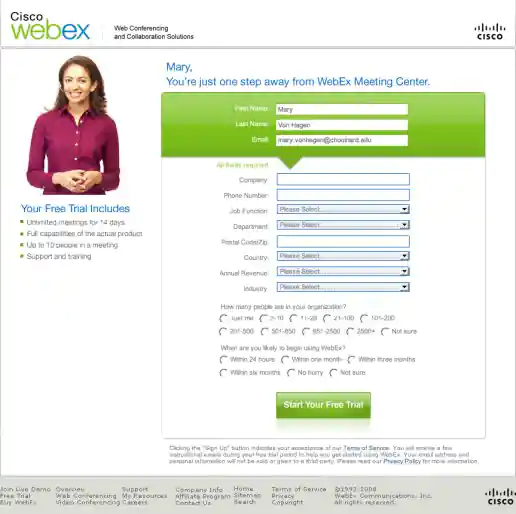
Cisco Webex Free Trial Signup Step 2 Form, Multi-variant Test Variations
Version 5
Project Description: To help explain what I was working on and the user experience which I based my decisions on, I created a quick user flow diagram showing screenshots along with short text explanations of the user journey both before and after interacting with the sign-up screens I was working on. This helped focus decisions to specific areas, optimize content to improve user experience, and identify most effective opportunities for multi-variant testing. Each of the variations were based on learnings from other Cisco Webex products, team input/feedback, plus learnings I incorporated from studying best practices in form design, lead generation, and UX marketing design.
Click for project detail view
-
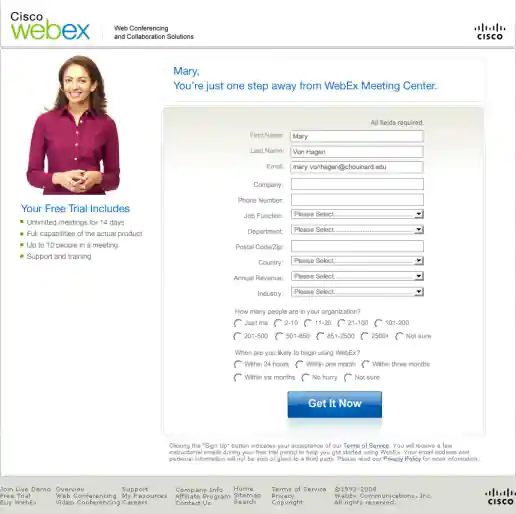
Cisco Webex Free Trial Signup Step 2 Form, Multi-variant Test Variations
Version 6
Project Description: To help explain what I was working on and the user experience which I based my decisions on, I created a quick user flow diagram showing screenshots along with short text explanations of the user journey both before and after interacting with the sign-up screens I was working on. This helped focus decisions to specific areas, optimize content to improve user experience, and identify most effective opportunities for multi-variant testing. Each of the variations were based on learnings from other Cisco Webex products, team input/feedback, plus learnings I incorporated from studying best practices in form design, lead generation, and UX marketing design.
Click for project detail view
-
Cisco Webex Free Trial Signup Step 2 Form, Multi-variant Test Variations
Version 7
Project Description: To help explain what I was working on and the user experience which I based my decisions on, I created a quick user flow diagram showing screenshots along with short text explanations of the user journey both before and after interacting with the sign-up screens I was working on. This helped focus decisions to specific areas, optimize content to improve user experience, and identify most effective opportunities for multi-variant testing. Each of the variations were based on learnings from other Cisco Webex products, team input/feedback, plus learnings I incorporated from studying best practices in form design, lead generation, and UX marketing design.
Click for project detail view
-
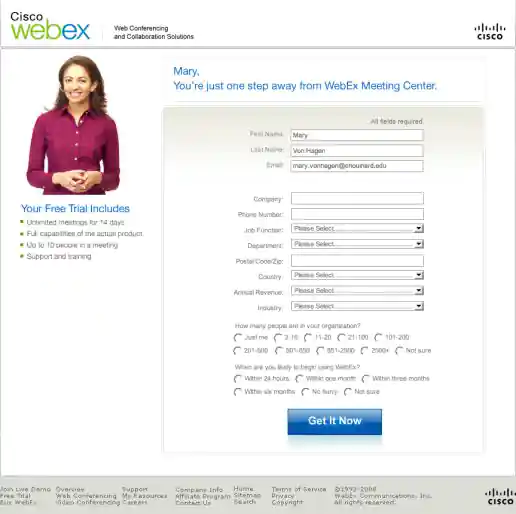
Cisco Webex Free Trial Signup Step 2 Form, Multi-variant Test Variations
Version 8
Project Description: To help explain what I was working on and the user experience which I based my decisions on, I created a quick user flow diagram showing screenshots along with short text explanations of the user journey both before and after interacting with the sign-up screens I was working on. This helped focus decisions to specific areas, optimize content to improve user experience, and identify most effective opportunities for multi-variant testing. Each of the variations were based on learnings from other Cisco Webex products, team input/feedback, plus learnings I incorporated from studying best practices in form design, lead generation, and UX marketing design.
Click for project detail view
-
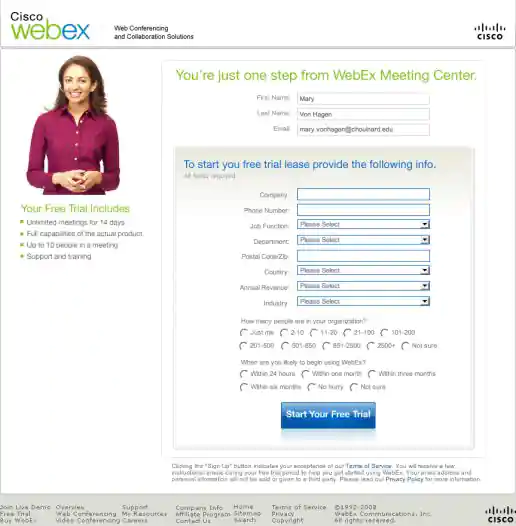
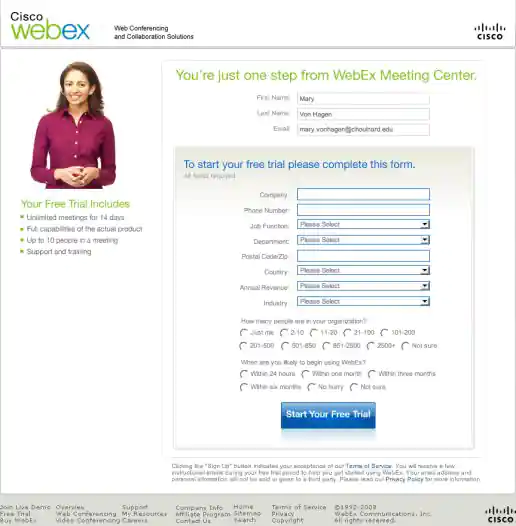
Cisco Webex Free Trial Signup Step 2 Form, Multi-variant Test Variations
Version 9
Project Description: To help explain what I was working on and the user experience which I based my decisions on, I created a quick user flow diagram showing screenshots along with short text explanations of the user journey both before and after interacting with the sign-up screens I was working on. This helped focus decisions to specific areas, optimize content to improve user experience, and identify most effective opportunities for multi-variant testing. Each of the variations were based on learnings from other Cisco Webex products, team input/feedback, plus learnings I incorporated from studying best practices in form design, lead generation, and UX marketing design.
Click for project detail view
-
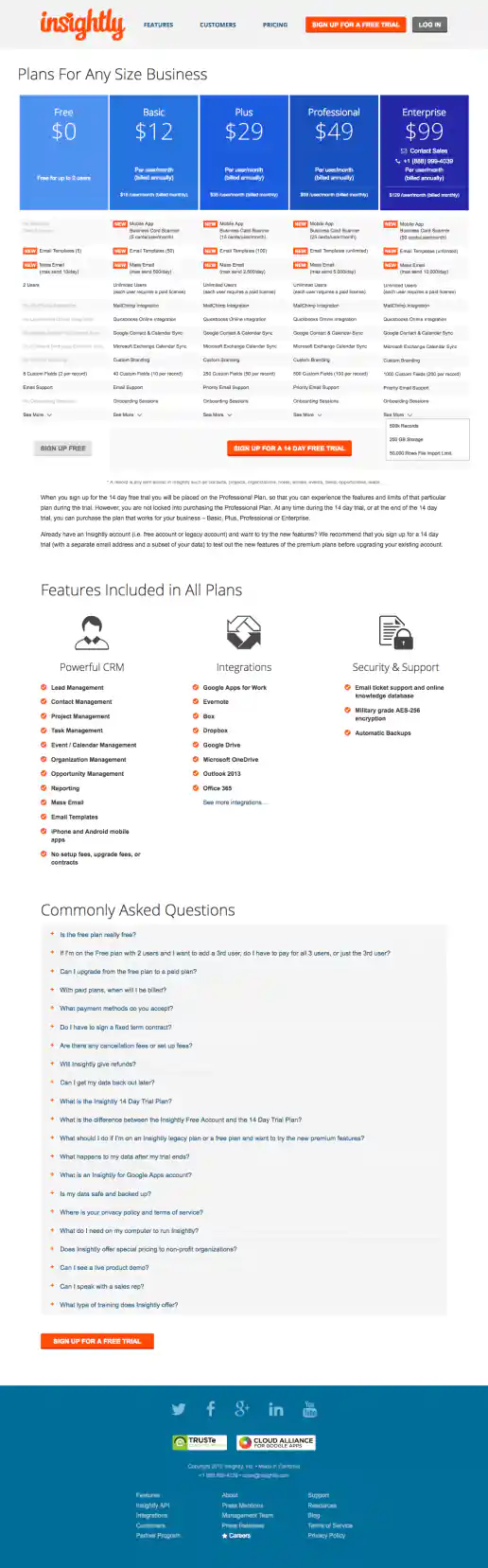
Insightly.com Pricing Page Test Variations
Version Showing Five Plans and Features Chart Enhancements
Project Description: Presented here are several iterations of the Pricing page I coded or co-designed/developed and maintained 3013 through 1016 while working with the Insightly marketing team, internal designers, and external vendors. Variations were tested using Optimizely and services such as Experiment Engine for A/B testing and conversion optimization along with KissMetrics and Google Analytics for click path tracking. Occasionally I contributed to the visual design while staying true to the look and feel of the Insightly brand. Additionally I occasionally contributed test suggestions based on best practices research, reviewing reported successes on other sites and competitive analysis. Several other versions were created as well, such as using different visual treatments for the title area and plan blurbs. etcetera.
Click for project detail view
-
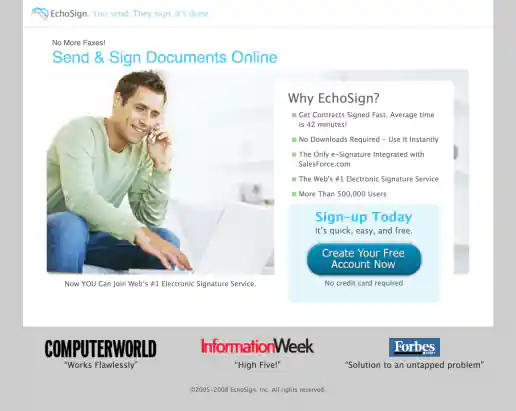
EchoSign Click-Through Landing Pages
Version with Guy
Project Description:
Click for project detail view
-
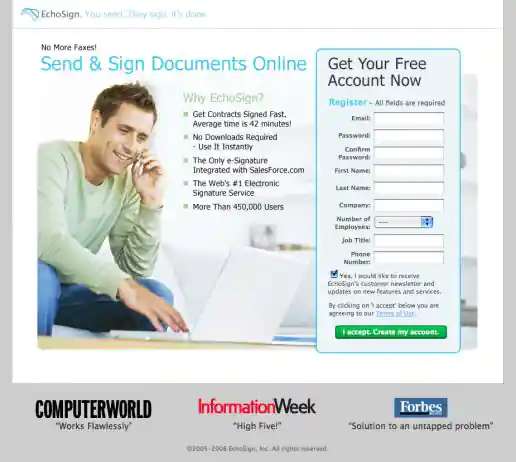
EchoSign Lead Capture Landing Pages
Version With Guy
Project Description:
Click for project detail view
-
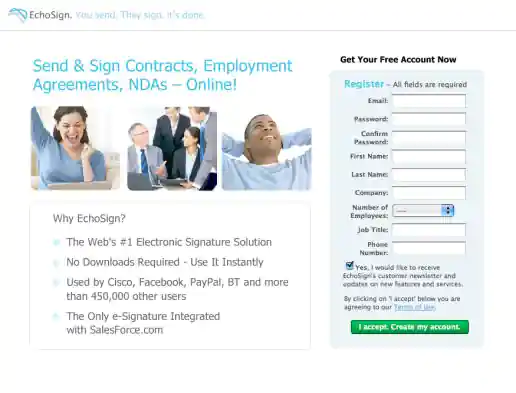
EchoSign Lead Capture Landing Pages
Version With Happy People Photos
Project Description:
Click for project detail view
-
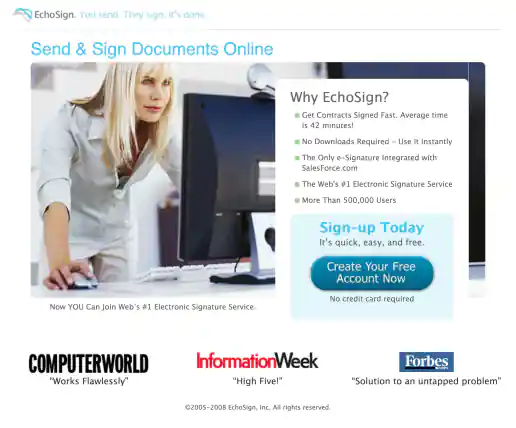
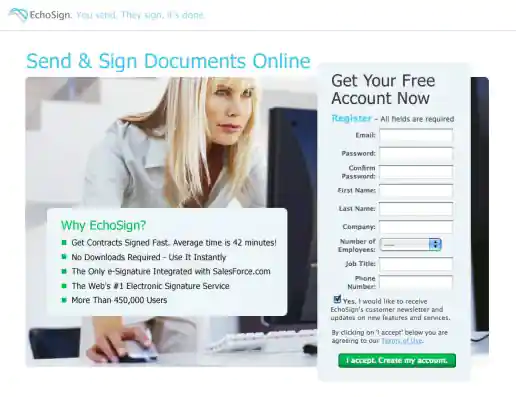
EchoSign Click-Through Landing Pages
Version with Woman
Project Description:
Click for project detail view
-
EchoSign Lead Capture Landing Pages
Version With Woman
Project Description:
Click for project detail view
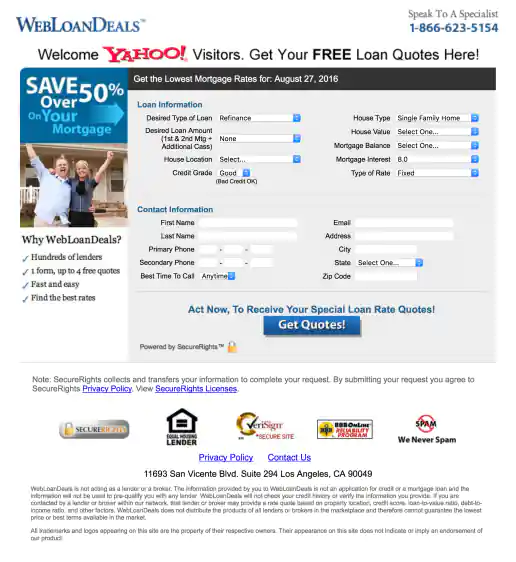
-
Yahoo! WebLoanDeals.com Landing Page
Wide Version 1
Project Description: A few of the initial layouts created for testing.
Click for project detail view
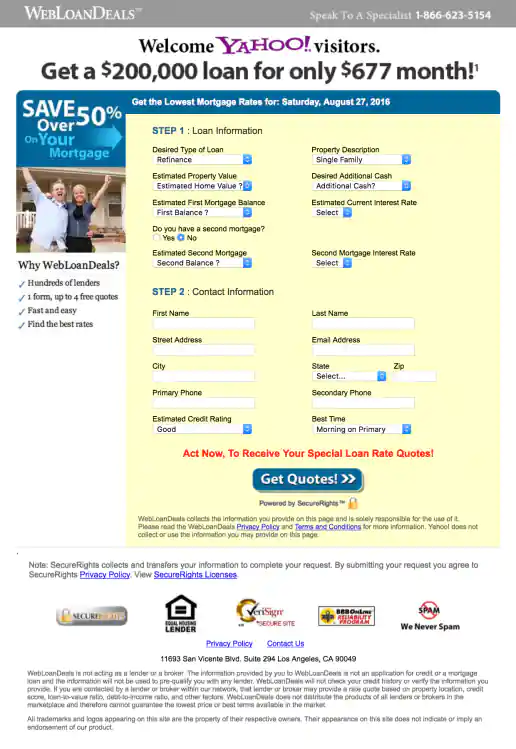
-
Yahoo! WebLoanDeals.com Landing Page
Wide Version 2
Project Description: A few of the initial layouts created for testing.
Click for project detail view
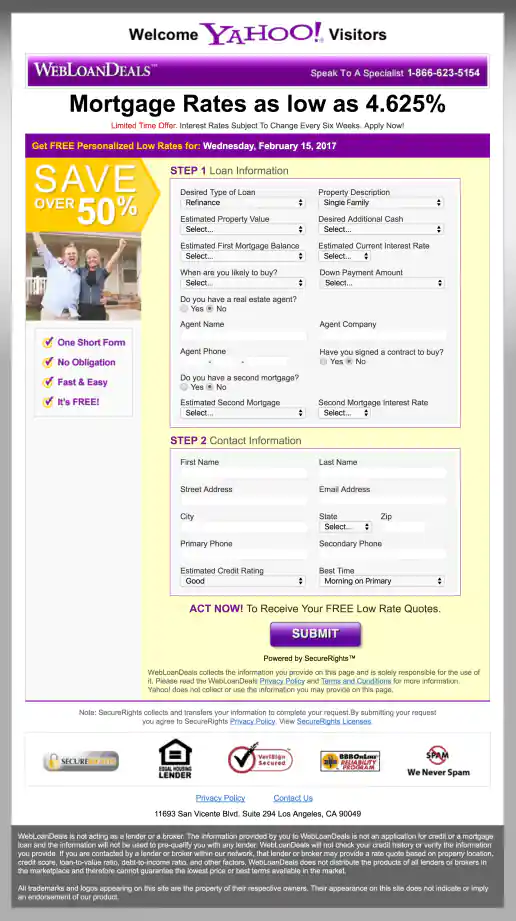
-
Yahoo! WebLoanDeals.com Landing Page
Wide Version 3
Project Description: A few of the initial layouts created for testing.
Click for project detail view
-
LeadsCon.com Landing Page Creator
WordPress Backend
Project Description: Event organizer needed an easy way to create individual landing pages for several targeted offers geared towards partners, vendors, past attendees, for speaker promotions, trade groups, magazine audiences, and the general public. Each landing page offered special discounts and was only accessible at a special link which potential customers would receive via email campaigns or see in an ad somewhere. By creating templates for the East Coast and West Coast events that could easily be updated on the backend, dozens of landing pages were created by the event manager without needing additional coding or design cycles each time.
Click for project detail view

-
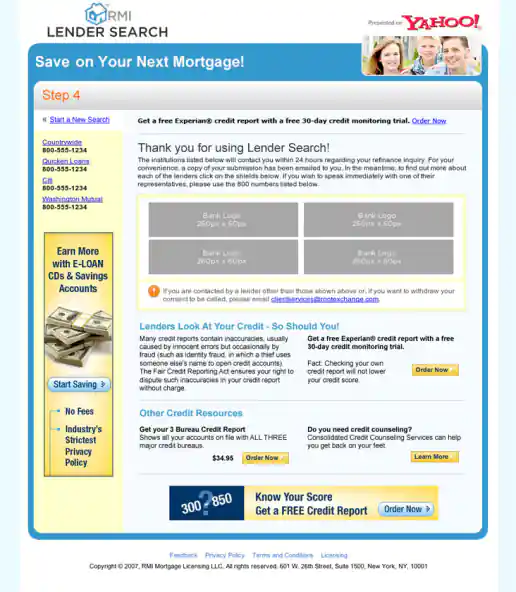
Yahoo! Lender Search “Lenders Direct” Campaign
Yahoo! Lender Search “Lenders Direct” Campaign Exit Page
Project Description: For this campaign I integrated lender logos into Flash animated ads to provide insight who the lenders are and begin to build confidence in potential customers minds before they apply for home financing. As part of this test, the logos either scrolled left to right, bottom to top, or zoomed from small to large along with style and messaging variations. The landing page look and feel borrowed from the style of the Yahoo! Travel channel and other online properties at the time to keep consistent with the Yahoo brand in general.
Click for project detail view
-
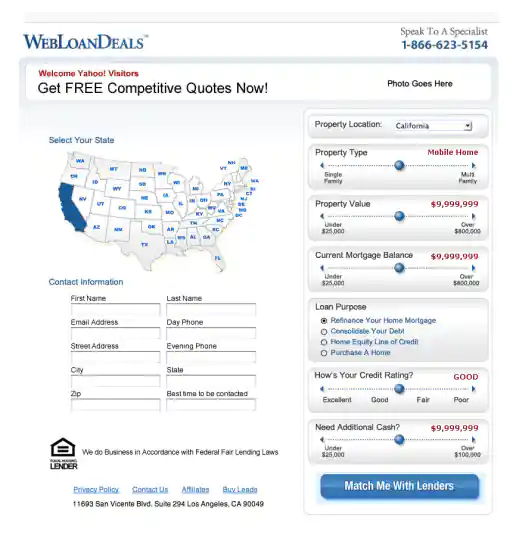
Yahoo! WebLoanDeals.com Landing Page “Loan Configurator” Concept Mockup
Project Description: Concept I had based on a Flash interface I had seen where users could filter products on the fly using sliders and other widgets to control various product selection criteria, such as cost and ratings. Psychologically giving customers the illusion they are in control can help make them feel more comfortable when making a purchase decision, when really the business goal is just to make a sell or capture a lead in this case.
Click for project detail view
-
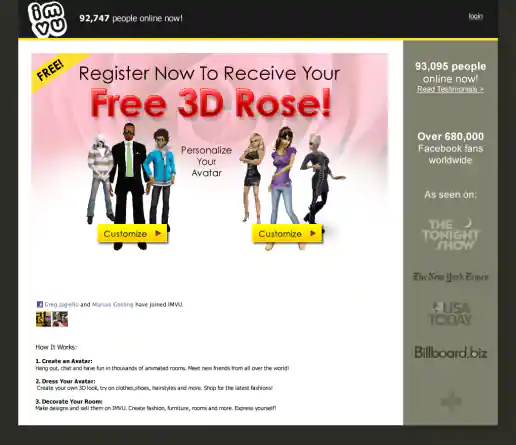
IMVU Incentive Campaigns
“Free 3D Rose” Landing Page
Project Description: These are few examples of “virtual goods” incentive campaigns. Wording was structured as “Free [insert productname]”, “Free 3D [insert productname]”, “Get A Free [insert productname]”, “Give A Free [insert productname]”. Associated landing pages echoed the offers and imagery used in the ads to provide confidence customers would get their free virtual product after registering.
Click for project detail view
-
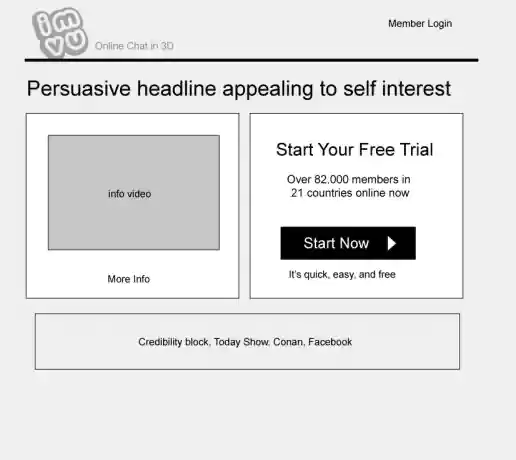
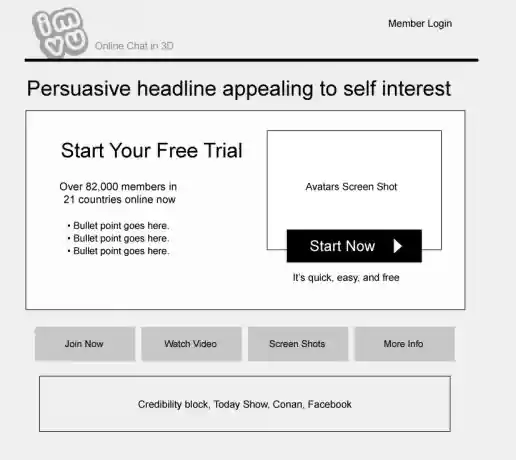
IMVU Wireframed Landing Page Layout Alternatives
“Start Your Free Trial” v1
Project Description: These are some “quickie” layouts I put together to present as an initial starting point for discussions of what's needed. It helps to have something visual to kick-start the process of gathering peoples preferences (or dislikes to throw darts at). Layouts are usually based on my past experiences with similar campaigns, doing some competitive analysis, applying recent design trends, and browsing through screenshots I’ve collected over the years that might offer additional ideas we can leverage.
Click for project detail view
-
IMVU Wireframed Landing Page Layout Alternatives
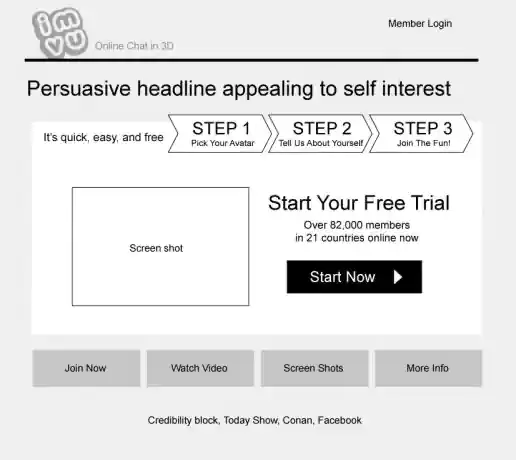
“Start Your Free Trial” v10
Project Description: These are some “quickie” layouts I put together to present as an initial starting point for discussions of what's needed. It helps to have something visual to kick-start the process of gathering peoples preferences (or dislikes to throw darts at). Layouts are usually based on my past experiences with similar campaigns, doing some competitive analysis, applying recent design trends, and browsing through screenshots I’ve collected over the years that might offer additional ideas we can leverage.
Click for project detail view
-
IMVU Wireframed Landing Page Layout Alternatives
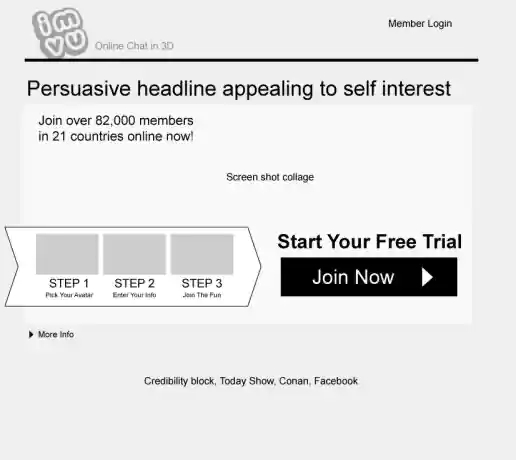
“Start Your Free Trial” v11
Project Description: These are some “quickie” layouts I put together to present as an initial starting point for discussions of what's needed. It helps to have something visual to kick-start the process of gathering peoples preferences (or dislikes to throw darts at). Layouts are usually based on my past experiences with similar campaigns, doing some competitive analysis, applying recent design trends, and browsing through screenshots I’ve collected over the years that might offer additional ideas we can leverage.
Click for project detail view
-
IMVU Wireframed Landing Page Layout Alternatives
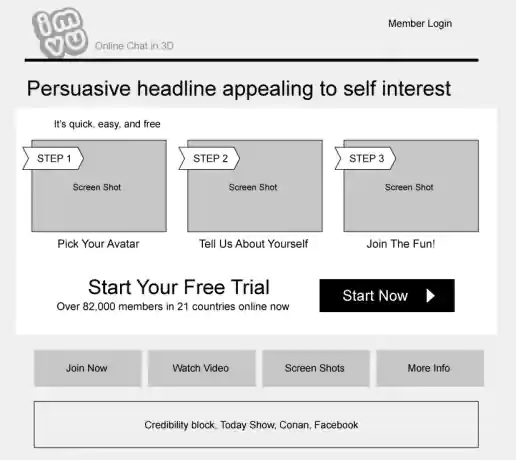
“Start Your Free Trial” v12
Project Description: These are some “quickie” layouts I put together to present as an initial starting point for discussions of what's needed. It helps to have something visual to kick-start the process of gathering peoples preferences (or dislikes to throw darts at). Layouts are usually based on my past experiences with similar campaigns, doing some competitive analysis, applying recent design trends, and browsing through screenshots I’ve collected over the years that might offer additional ideas we can leverage.
Click for project detail view
-
IMVU Wireframed Landing Page Layout Alternatives
“Start Your Free Trial” v2
Project Description: These are some “quickie” layouts I put together to present as an initial starting point for discussions of what's needed. It helps to have something visual to kick-start the process of gathering peoples preferences (or dislikes to throw darts at). Layouts are usually based on my past experiences with similar campaigns, doing some competitive analysis, applying recent design trends, and browsing through screenshots I’ve collected over the years that might offer additional ideas we can leverage.
Click for project detail view